


Carabiner to Organize Cables in a Laptop Bag: Your Ultimate Tech Taming Toolkit
For the modern professional, student, or digital nomad, a laptop bag is a mobile command center. Yet, this hub of productivity is often sabotaged from within by a notorious enemy: cable chaos. The inevitable tangle of charging cords, adapters, USB cables, and headphones not only causes frustration but can also damage connectors, waste precious time, and create a surprisingly stressful start to any meeting or work session. The solution, however, is elegantly simple and remarkably effective: employing a carabiner to organize cables in your laptop bag. This is not just a clip; it's a systematic approach to achieving order, accessibility, and equipment longevity.
Why Random Coiling Fails & How a Carabiner Succeeds
Simply throwing cables into a bag's pocket or loosely coiling them leads to knots, stress on connectors, and a mess that must be untangled each time. A dedicated carabiner acts as a centralized anchor point, solving these core issues:
- Separation and Identification: It keeps each cable individually looped and distinct, preventing the "rat's nest" effect. You can see and grab the USB-C cable without pulling out the HDMI and Ethernet cords tangled with it.
- Strain Relief: By creating a consistent, gentle loop secured at the carabiner (rather than a tight kink or bend), you reduce mechanical stress on the cable ends, which are the most common points of failure.
- Rapid Access & Inventory: A quick glance at the carabiner shows you exactly what you have. No more digging or wondering if you packed the right adapter. Unclip the one you need and go.
- Space Optimization: It consolidates loose, sprawling items into a single, compact bundle that fits neatly into a dedicated compartment, freeing up space for other essentials.
Choosing the Perfect Cable Management Carabiner
Not all carabiners are ideal for this delicate task. The goal is organization, not mountain climbing. Here’s what to prioritize:
- Size and Weight are Paramount: The carabiner must be small and lightweight. A large climbing carabiner is overkill and bulky. Look for mini or keychain-sized models (approximately 1.5 to 2.5 inches long). The weight should be negligible.
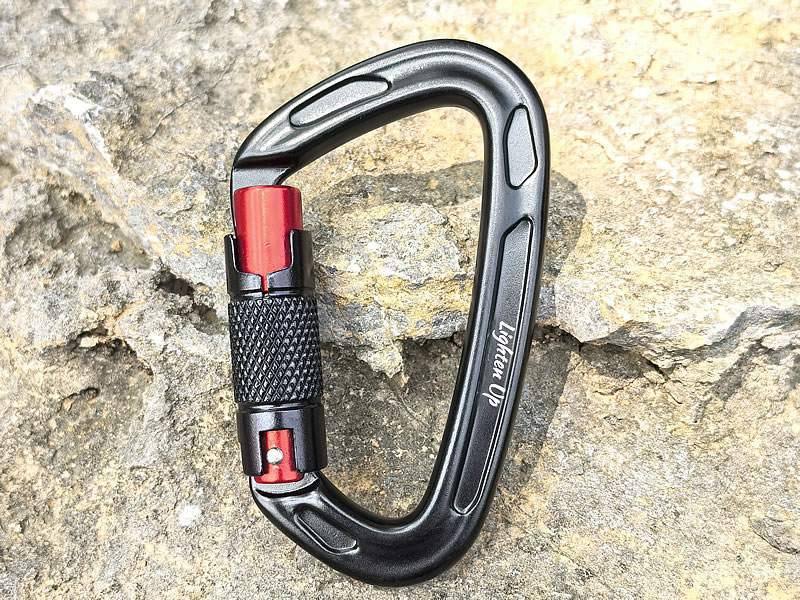
- Smooth, Snag-Free Design is Non-Negotiable:KeyLock or Hooded Nose: This feature is crucial. It eliminates the traditional hook-like notch found on many carabiners. A smooth, recessed nose will not catch on delicate cable sheaths, bag linings, or clothing, preventing abrasion and damage.Rounded Edges: Every edge should be smooth to the touch to protect your cables and the interior of your bag.
- Gate Mechanism: Security vs. Speed:For Maximum Security (Recommended): A mini screw-lock or reliable auto-locking gate ensures cables won't shake loose during travel. This is ideal if you move your bag frequently.For Ease of Access: A smooth, spring-loaded snap gate can be sufficient if you value ultra-quick, one-handed access, provided the spring tension is firm enough to hold cables. Avoid gates that are too loose.
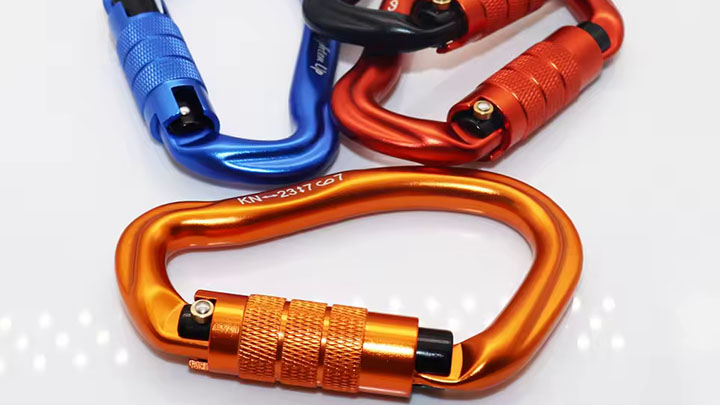
- Material: Anodized Aluminum is the top choice. It's lightweight, strong, and comes in various colors, which can be used for coding (e.g., blue for charging cables, red for audio).
How to Implement Your Cable Management System: Step-by-Step
Transforming chaos into order is straightforward. Here’s the optimal method:
- Preparation: Gather all your cables and accessories that have a loop or a hole (most charging blocks have a slot for the cord, and many cables have a built-in velcro tie or can be formed into a loop).
- Create Neat Loops: For each cable, use the "over-under" coiling technique favored by audio engineers. This method prevents cables from developing twists and kinks. Once coiled, secure the loop with its own velcro strap, a twist-tie, or a reusable rubber band.
- Attach to the Carabiner: Clip the carabiner through the secure loop of each cable and accessory. For items without a loop, consider using a small zip-tie or a dedicated plastic hook to create an attachment point.
- Anchor in Your Bag: Finally, clip the now-loaded carabiner to a strong internal loop, a MOLLE strap, or a D-ring inside your laptop bag's main compartment or a specific tech pouch. This prevents the entire bundle from shifting around.
Pro-Tip for Modularity: Use two carabiners: one permanently anchored in your bag for your "always-carry" essentials (laptop charger, universal USB cable), and a smaller one for your "project-specific" cables (e.g., camera connections, specialized adapters). This allows you to swap out kits without disturbing your core setup.
Top Carabiner Recommendations for Tech Organization
- Best Overall (Snag-Free & Secure): Nite Ize S-Biner Microlock. Its dual-sided, locking design and small size are perfect for separating cable types, and its locking mechanism is secure yet easy to use.
- Best for Sleek Simplicity: Petzl Ange L or Finesse. These carabiners are designed specifically to be light and snag-free, with a smooth keylock nose that's ideal for protecting tech gear.
- Best for Color-Coding & Value: HeroClip Mini Carabiners (Multi-Pack). These offer a sturdy gate, a versatile hook design for hanging, and come in various colors for instant visual organization.
Final Verdict: A Minimalist Upgrade for Maximum Efficiency
Incorporating a small, smooth, keylock carabiner into your laptop bag is a minimalist's masterstroke. It replaces reactive untangling with proactive organization, turning a source of daily friction into a model of efficiency. This simple tool safeguards your investment in tech, saves you time and stress, and instills a sense of calm preparedness. In the quest for a more productive and orderly mobile workspace, the humble carabiner proves to be an unexpectedly powerful ally.